Data Entry Specialist
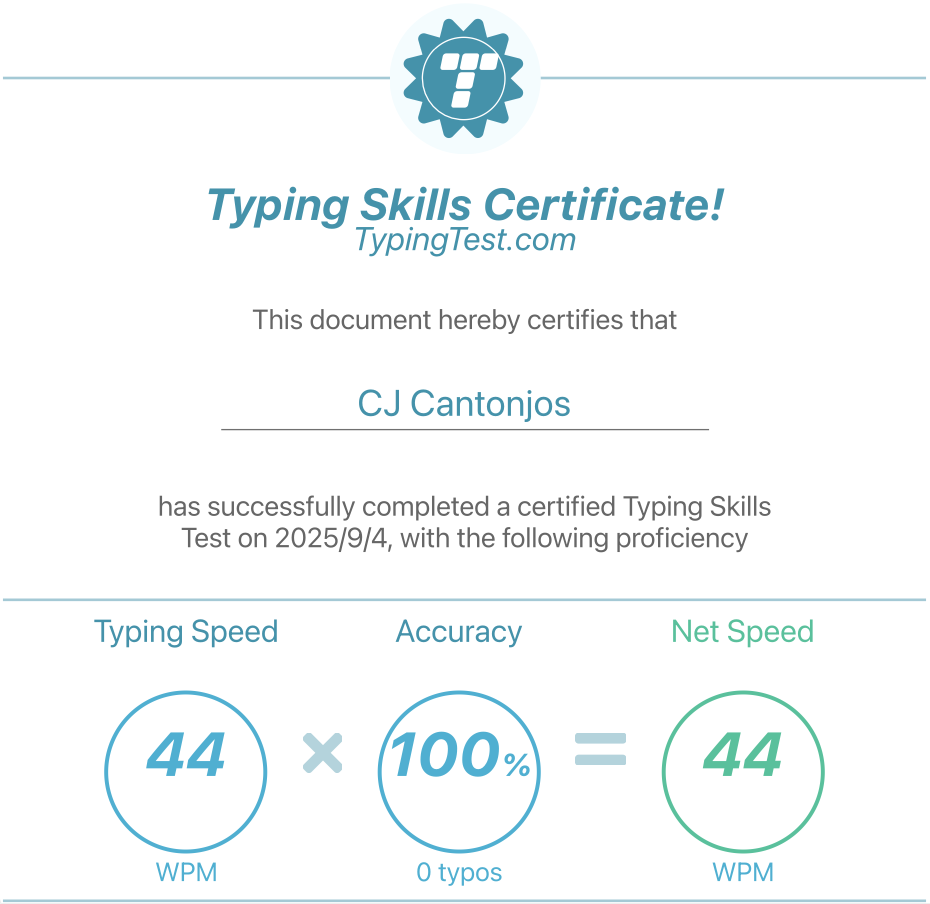
Typting Test Result
I can type 44 words per minute (WPM) with 100% accuracy, certified by TypingTest.com on September 4, 2025. This was a 5-minute test with no typos, showing my strong typing skills. My speed and accuracy make me well-suited for professional tasks that need precise data entry and quick communication.
Google Doc/Microsoft Word Creation & Management
I'm an expert in Google Docs and Microsoft Word, using advanced features to create professional and polished documents efficiently. My skills include leveraging collaborative tools, intricate formatting with styles and templates. I transform complex documentation into a streamlined process, ensuring every project is high-quality and publication-ready. Below is a sample Google Doc that I created during my time at my previous company. This document was uploaded to our knowledge base and served as a popular guide for information regarding salary packages in India.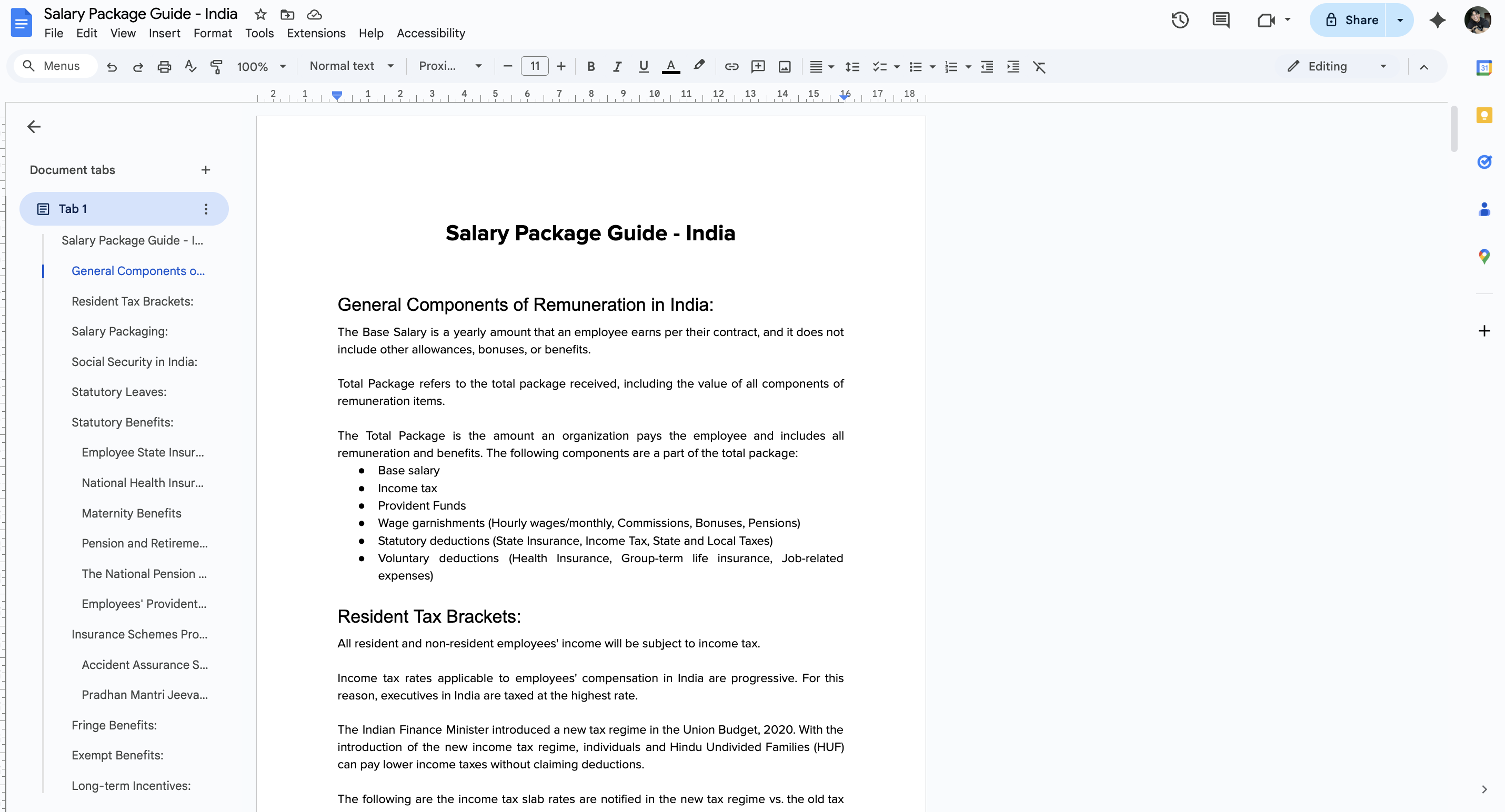
Google Sheet/Microsoft Excel Creation & Management
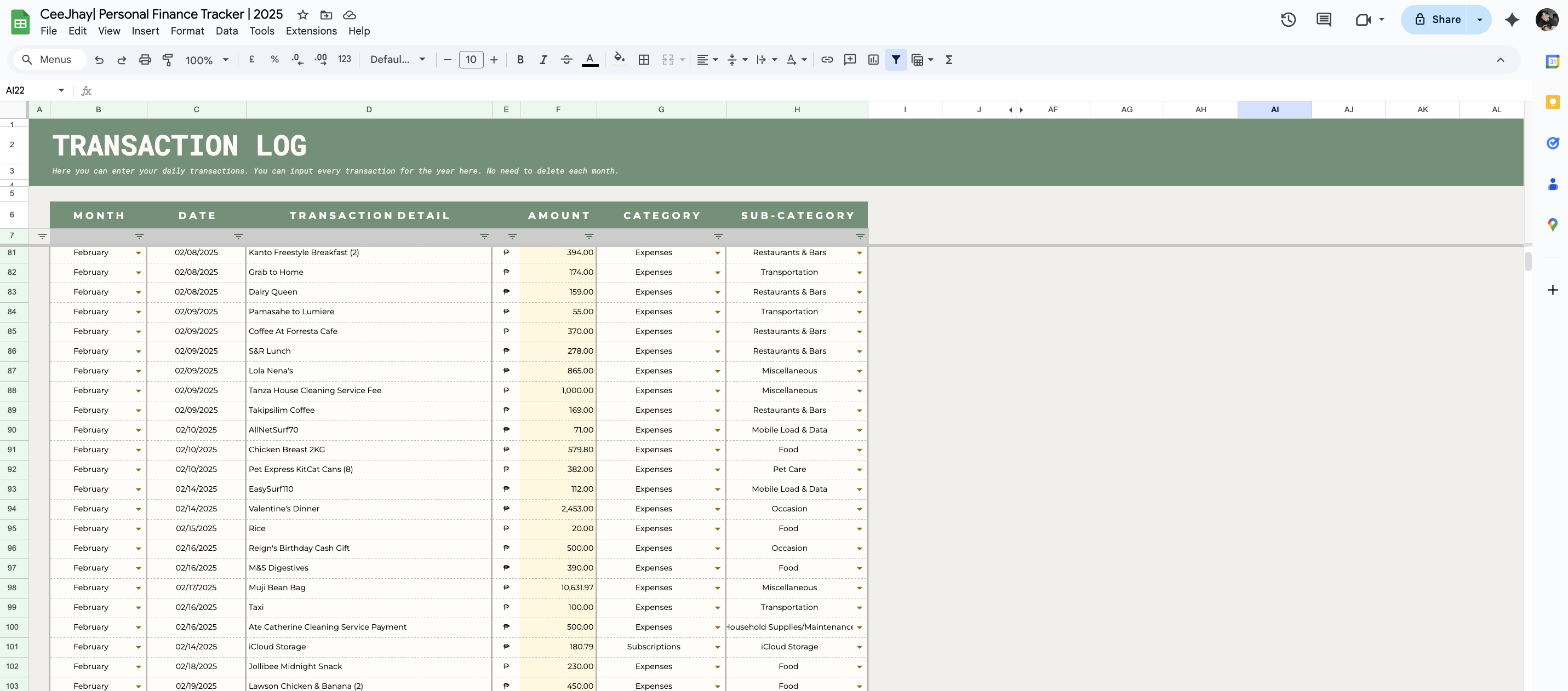
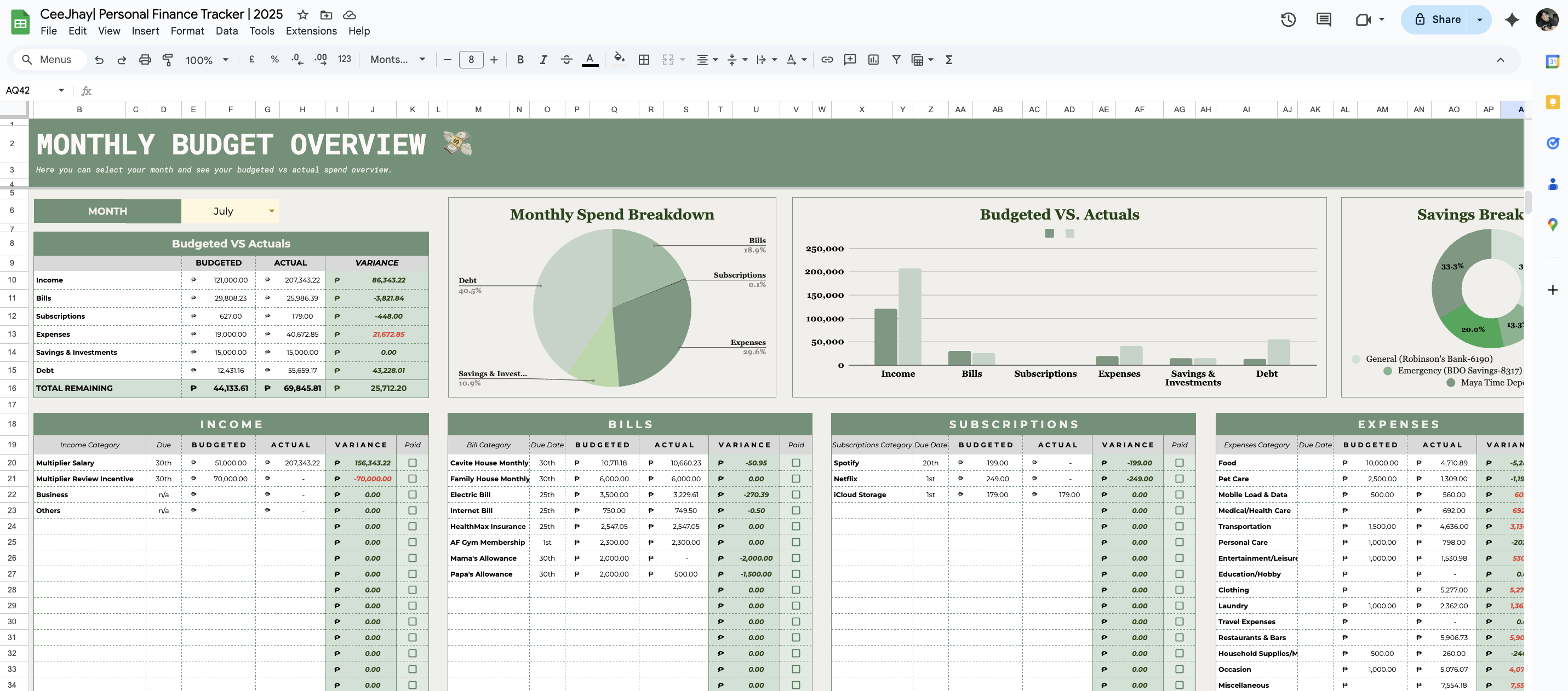
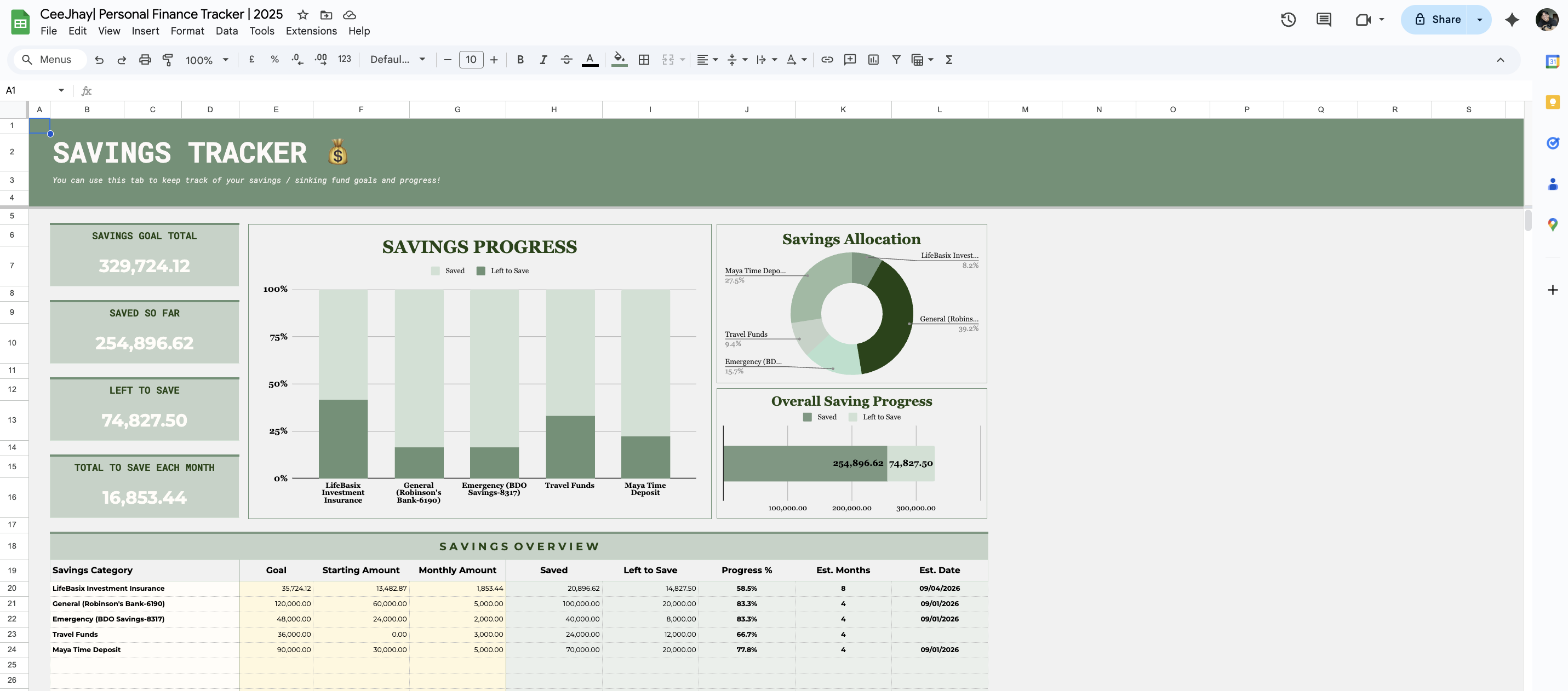
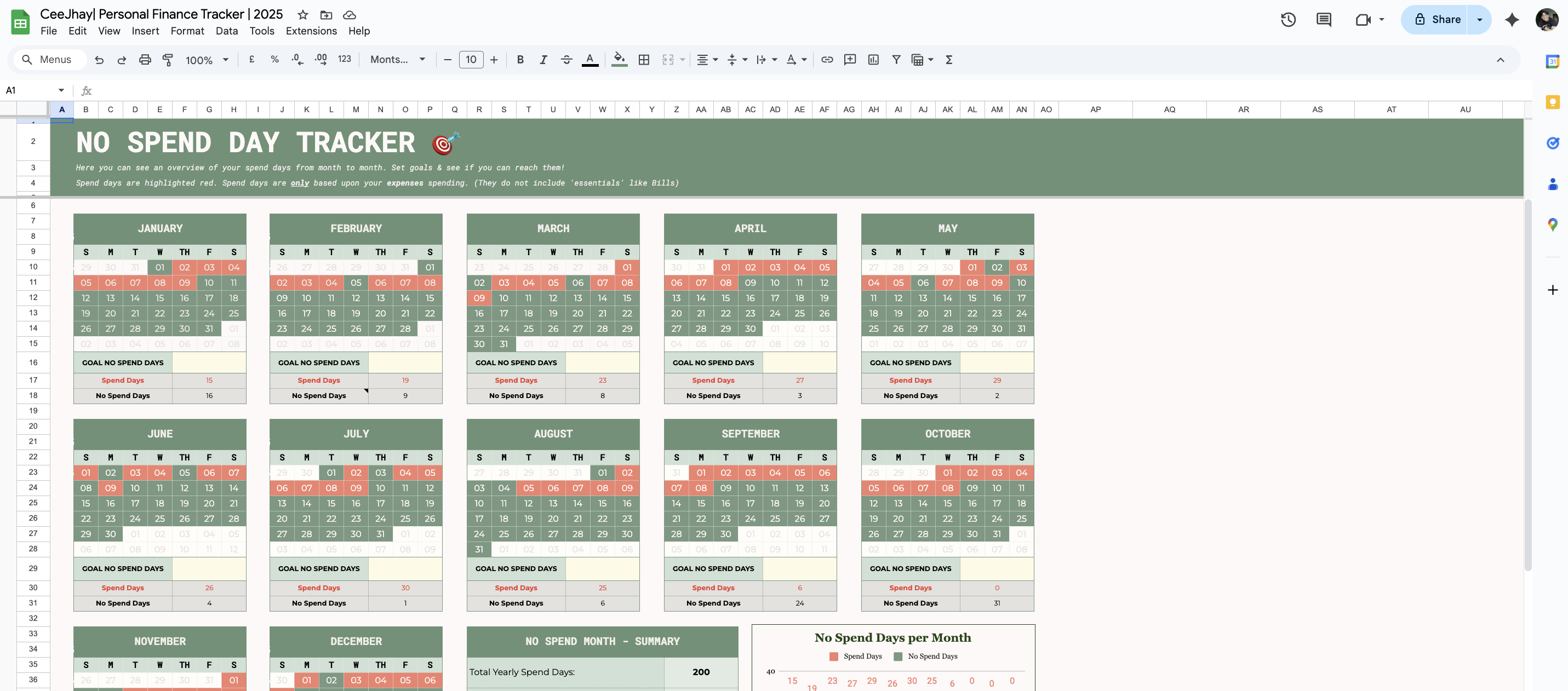
I have strong skills in Google Sheets and Microsoft Excel, using their main features to keep data accurate and efficient. I know how to use complex functions like VLOOKUP, pivot tables for summarizing data, and conditional formatting for visualizing data and finding errors. I can turn raw data into clear, useful information, improve data entry processes, and ensure data integrity for better decision-making.
Here's a sample of a Google Spreadsheet that I created for my personal finance management. It provides me with a thorough, efficient, and quick overview of my progress towards my financial goals. I believe this spreadsheet demonstrates my proficiency in both Google Sheets and Microsoft Excel alike.
Google Slide/Microsoft Powerpoint Creation & Management
I also have the skills in Google Slides and Microsoft PowerPoint to make clear and effective data presentations. I turn complex data into easy-to-understand visuals with charts, SmartArt, and custom animations to show important insights. I create polished, audience-friendly decks that clearly share data trends and findings, making sure all information is easy to understand and looks professional.
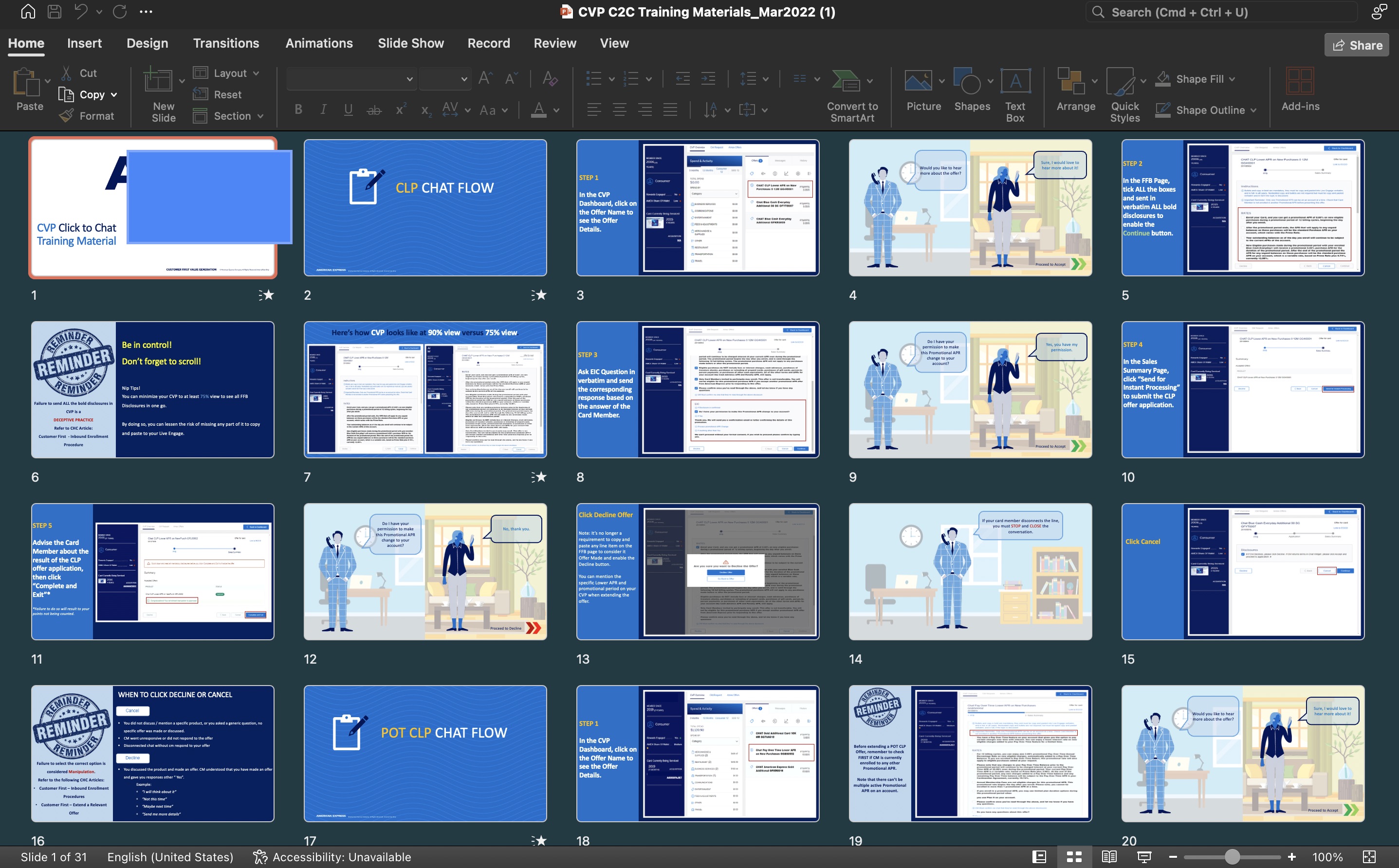
Here’s a sample of training material in Microsoft Powerpoint that I made as a sales coach/learning specialist in my last job. This material introduced a new tool for our department. The slides need to be clear and designed for easy learning and retention, while also strictly following the brand's design and colors, as it became the official training deck for the whole department.